Why Most Beginners Fail at Mastering Their New Smart Thermostat (And What Actually Works for Real Savings and Comfort)
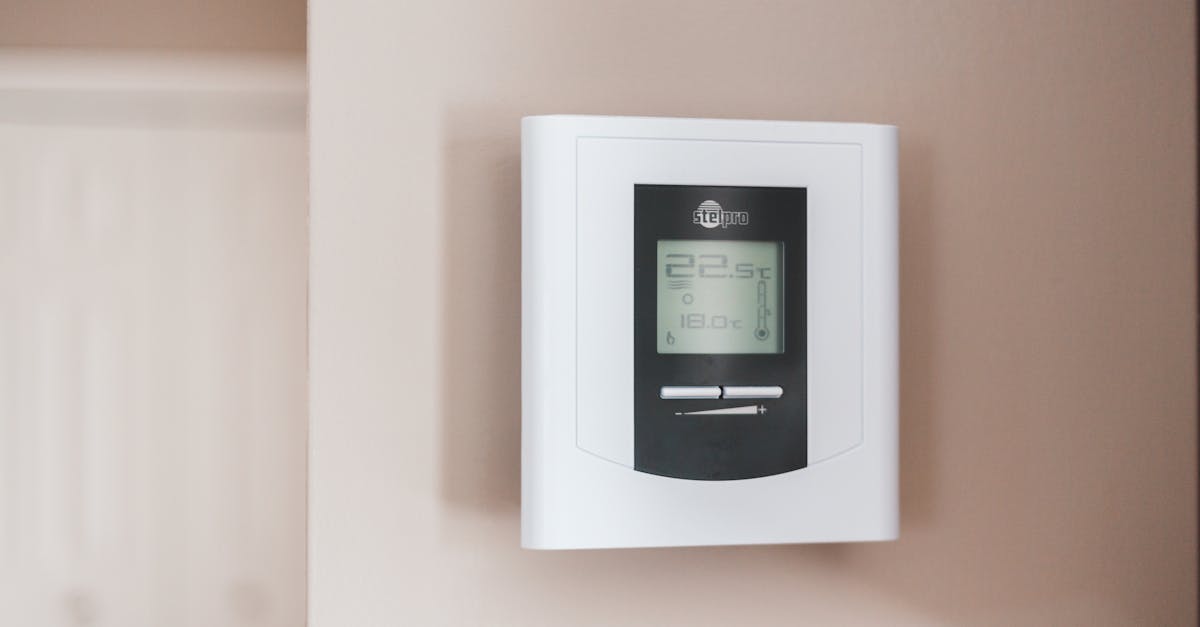
Smart thermostats promise savings and comfort, but most beginners struggle. Discover the non-obvious strategies for mastering your device and optimizing your home.
When I first installed my smart thermostat, I expected magic. Visions of effortless energy savings and perfectly regulated temperatures danced in my head. The reality, for the first few months, was far from it. My energy bills barely budged, and I often found myself fiddling with the settings, frustrated that it wasn’t delivering on its promise of intelligent climate control. I wasn’t alone; friends and colleagues who had also made the jump to smart thermostats echoed similar sentiments – a mix of initial enthusiasm quickly dampened by confusion and underperformance.
Most people approach smart thermostats like a fancy version of their old programmable ones. They set a basic schedule, enable a few default features, and then wonder why their home isn’t a paragon of efficiency and comfort. The truth is, smart thermostats are powerful tools, but they require a strategic, layered approach to truly unlock their potential. It’s not about complex programming; it’s about understanding the nuances of your home’s unique thermal dynamics and how your habits interact with the technology.
The mistake I see most often is treating a smart thermostat as a ‘set it and forget it’ device without understanding what it’s trying to learn and how to guide it. You wouldn’t buy a high-performance car and just expect it to race itself; you learn to drive it. The same applies here. What changed everything for me was shifting my mindset from simply owning a smart thermostat to actively coaching it. Once I understood its learning process and how to provide the right inputs, my home became genuinely smarter, more comfortable, and my energy bills finally reflected the savings I’d hoped for.
Key Takeaways
- Resist the urge to constantly manually adjust your smart thermostat; consistent input is crucial for its learning algorithms to be effective.
- Understand your home’s thermal characteristics like insulation, window efficiency, and sun exposure to fine-tune pre-heating/cooling schedules.
- Utilize occupancy sensors and geofencing to allow the thermostat to genuinely learn your presence patterns, optimizing energy use when you’re away.
- Integrate your smart thermostat with other smart home devices to create cohesive, energy-efficient routines that respond to real-time conditions.
The “Set It and Forget It” Fallacy: Why Constant Manual Overrides Undermine Learning
When you invest in a smart thermostat, the expectation is that it will learn your preferences and optimize your home’s climate automatically. And it can do that, but not if you’re constantly overriding its settings. Think of it like trying to teach a child a new skill while simultaneously giving them conflicting instructions. They’ll never quite grasp what you want them to do.
Many users, myself included initially, fall into the trap of frequent manual adjustments. The room feels a little chilly, so we bump up the heat by a degree or two. Later, it’s too warm, so we drop it. Each manual tweak, especially during the initial learning phase (which can last a few weeks or even months), sends a mixed signal to the thermostat’s algorithms. It struggles to identify consistent patterns in your desired temperatures and occupancy, making its ‘smart’ features less effective.
What Actually Works: During the first few weeks, commit to minimal manual intervention. If you need a temperature change, try to make it a deliberate, slightly larger adjustment that lasts for a significant period, rather than a quick, reactive nudge. For instance, if you usually keep your home at 70°F but have guests and want it warmer, set it to 72°F for the duration of their visit, then reset. This helps the thermostat distinguish between routine preferences and temporary exceptions. More importantly, engage with its feedback mechanisms. Many smart thermostats will ask if you liked a particular temperature or if a change was intentional. Responding to these prompts is critical data for its machine learning. It’s about letting the system make suggestions and then confirming or denying them, rather than simply imposing your will at every turn.
Ignoring Your Home’s Thermal ID: Why a Generic Schedule Isn’t Enough
Every home has its own unique thermal identity. Factors like insulation quality, window type and orientation, wall materials, and even the amount of direct sunlight your home receives at different times of the day all impact how quickly it heats up or cools down, and how well it retains that temperature. Many beginners, myself included, simply input a basic schedule: Wake Up (70°F), Leave (65°F), Return (70°F), Sleep (68°F). This is a good start, but it fails to account for your home’s specific thermal characteristics.
For example, my west-facing living room used to get blasted by the afternoon sun, causing the thermostat in a central hallway to kick on the AC unnecessarily. Conversely, my poorly insulated attic meant heat escaped quickly in winter, making the ‘return home’ temperature feel sluggish to achieve.
What Actually Works: Take the time to understand your home’s thermal response. Experiment and observe. How long does it actually take for your home to heat up from 65°F to 70°F on a cold morning? Is it 30 minutes, or a full hour? Is there a specific room that always feels colder or hotter than the rest? Armed with this knowledge, you can set smarter pre-heating or pre-cooling schedules. Instead of simply setting your thermostat to 70°F at 5:00 PM when you get home, schedule it to start heating at 4:30 PM, ensuring it reaches 70°F by the time you walk in the door. Most smart thermostats have an ‘early on’ or ‘smart recovery’ feature that does this automatically, but you need to give it accurate data on your home’s responsiveness. Additionally, consider zone control solutions if your thermostat supports it, or strategically place remote sensors in areas that better represent your actual comfort, rather than relying solely on the main thermostat’s location. This level of granular understanding allows the thermostat to work with your home, not against it.
The Overlooked Power of Occupancy and Geofencing: Beyond Just Scheduling
Many smart thermostats come equipped with occupancy sensors or geofencing capabilities, allowing them to detect when you’re home or when you’ve left a certain perimeter (like your neighborhood). However, beginners often either disable these features due to privacy concerns, or simply don’t set them up correctly, missing out on some of the most powerful energy-saving opportunities.
My initial reluctance to fully embrace geofencing stemmed from a minor annoyance: occasionally, the AC would kick on just as I was pulling into the driveway because it only registered my presence a few blocks away. This small frustration led me to disable it, ironically costing me significant savings by relying solely on a fixed schedule, regardless of my actual presence.
What Actually Works: Embrace occupancy and geofencing with an understanding of their nuances. For geofencing, set a larger ‘away’ radius initially and gradually fine-tune it. Most apps allow you to define the geofence size. Instead of a quarter-mile, try a 1-mile radius to give your system ample time to adjust before your arrival. Also, ensure all household members who carry a smartphone have their devices linked to the geofencing feature (with their consent, of course). This prevents the system from misidentifying an empty home as occupied because one phone is still nearby.
For occupancy sensors, understand how they work. Are they passive infrared (PIR), detecting motion? If so, ensure they have a clear line of sight in frequently used areas. Many smart thermostats also use ambient light sensors or even sound detection to infer presence. Let the system run for several weeks with these features enabled, even if you experience a few false positives or negatives. The algorithms improve dramatically over time as they collect more data. The true power of a smart thermostat lies in its ability to adapt to real-time usage, not just a static calendar. By allowing it to learn your actual coming and going, you can save 10-15% on heating and cooling, purely by not conditioning an empty house.
Isolated Systems: The Missed Opportunity of Smart Home Integration
A common mistake beginners make is treating their smart thermostat as a standalone gadget. They install it, connect it to Wi-Fi, and stop there. While it functions perfectly well as a single smart device, its true potential is unlocked when it integrates with other smart home systems. For many, the idea of integrating different smart devices feels overly complex or like an unnecessary luxury. I certainly felt that way, viewing each new device as a separate entity.
For example, my smart thermostat used to crank up the AC in the afternoon, even when all the blinds were open, letting in scorching sun. It simply reacted to the rising temperature without understanding the underlying cause or leveraging other devices to mitigate it.
What Actually Works: Think of your smart thermostat as the conductor of your home’s climate orchestra. Actively explore and set up integrations with other smart devices. This could include:
- Smart Blinds/Shades: Integrate your thermostat with smart blinds. Set up a routine that automatically lowers west-facing blinds in the afternoon if the indoor temperature rises above a certain threshold, reducing solar gain before the AC needs to kick in. In winter, open south-facing blinds to harness passive solar heating.
- Smart Lighting: While less direct, occupancy sensors tied to your thermostat can inform your lighting system, ensuring lights only come on in occupied rooms, further reinforcing the ‘away’ status for energy savings.
- Smart Fans: Instead of immediately dropping the temperature when it gets warm, integrate with smart ceiling fans. A slight increase in fan speed can often make a room feel several degrees cooler without the energy expenditure of the AC.
- Voice Assistants: Set up simple voice commands like, “Hey Google, I’m leaving,” to trigger an ‘away’ setting, or “Alexa, I’m feeling chilly,” to slightly adjust the temperature. This makes interaction seamless and encourages consistent behavior, feeding the thermostat better data.
By building these connections, you create a truly responsive and energy-efficient ecosystem. Your thermostat no longer works in isolation; it intelligently collaborates with other devices to optimize comfort and savings, responding dynamically to your home’s environment.
Overlooking Firmware Updates and App Features: Sticking to Basic Functionality
Many users, once their smart thermostat is installed and seemingly working, rarely venture beyond the basic temperature control. They overlook software updates, new features introduced in the app, or deeper analytics dashboards. I was guilty of this for a long time. My initial setup felt adequate, and I didn’t see the need to constantly check for updates or dig into obscure settings.
The result was missing out on valuable improvements. My particular model, through a firmware update, introduced a ‘humidity control’ feature that would lightly run the AC to dehumidify without over-cooling, which was a game-changer for summer comfort. Without actively looking for it, I would have never known.
What Actually Works: Regularly engage with your smart thermostat’s app and keep an eye out for updates. Most devices receive over-the-air firmware updates that enhance performance, fix bugs, and introduce new capabilities. These often roll out automatically, but checking confirms they’re installed. Beyond that, dedicate 15-20 minutes once a month to explore your thermostat’s mobile app or web portal. Look for:
- Energy Reports: These are invaluable. They often break down energy usage by heating/cooling, time of day, and even outdoor temperature, highlighting peak consumption periods and potential areas for savings.
- Advanced Settings: Dive into settings like fan circulation modes, swing temperature (how much the temperature can deviate from your set point before heating/cooling kicks in), and accessory control (for humidifiers, dehumidifiers, or ventilation systems if connected).
- New Features: Manufacturers frequently add features like vacation modes, advanced scheduling options, filter change reminders, or new smart home integrations. Don’t assume your device is static; it’s constantly evolving.
By staying engaged, you ensure you’re getting the most out of your investment, leveraging the latest intelligence your device has to offer, and continuously refining your home’s comfort and efficiency.
Conclusion: From Passive Owner to Active Climate Coach
Mastering your smart thermostat isn’t about being a tech wizard; it’s about being an active climate coach for your home. It’s a journey of understanding, observation, and intentional interaction. Resist the urge to constantly override, take the time to learn your home’s unique thermal behavior, leverage the full spectrum of its intelligent features like geofencing and occupancy, and actively integrate it into your broader smart home ecosystem. And don’t forget to stay updated on its evolving capabilities through its app.
By taking this more engaged approach, you’ll move beyond just a ‘programmable’ thermostat to a truly ‘smart’ one, enjoying optimal comfort, significant energy savings, and a home that genuinely anticipates your needs. Start by reviewing your current usage patterns in your thermostat’s app. Identify one area where you can be more intentional – perhaps fine-tuning your ‘away’ settings or setting up a new integration. Your future self (and your wallet) will thank you.
Frequently Asked Questions
Q1: My smart thermostat is making my home less comfortable than my old one. What am I doing wrong?
A1: You might be overriding its learning too frequently. During the first few weeks, try to make fewer manual adjustments. Allow the thermostat to learn your patterns and respond to its prompts. Also, ensure remote sensors (if you have them) are placed in areas that accurately reflect your comfort, not just a drafty hallway.
Q2: How can I tell if my smart thermostat is actually saving me money?
A2: Most smart thermostat apps provide detailed energy reports. Look for monthly or weekly breakdowns that compare your heating and cooling usage to previous periods or similar homes. Many also show when energy-saving features like ‘eco mode’ or ‘auto-away’ were activated. Track these reports consistently.
Q3: Is geofencing worth the effort, or should I just stick to a schedule?
A3: Geofencing can offer significant savings by ensuring you’re not heating or cooling an empty home, even if your schedule is unpredictable. Ensure all household members’ phones are linked to the feature, and set an appropriate radius. While schedules are good, geofencing provides real-time adaptability that a static schedule cannot.
Q4: My home has hot and cold spots. Can a smart thermostat help with this?
A4: Yes, but it requires strategy. If your thermostat supports remote sensors, strategically place them in problem areas. Some advanced systems offer zone control, allowing different areas to have different temperature settings. Without these, understanding your home’s thermal ID (e.g., direct sunlight, poor insulation) and adjusting your main thermostat’s schedule to pre-compensate can help.
Q5: Should I enable every smart feature right away, or introduce them gradually?
A5: It’s best to introduce features like geofencing and occupancy detection with a commitment to letting them learn for a few weeks before making major changes. Overloading the system with too many new, complex rules simultaneously, especially during the initial learning phase, can hinder its ability to establish baseline patterns. Gradually integrate advanced settings or integrations once basic learning is established.
Written By
Daniel Kim
Home & Finance Management
A retired librarian and lifelong learner, he brings a meticulously researched approach to everyday self-sufficiency and financial planning.
Borrowing History — Also Checked Out
A Practical Checklist for Choosing a Home Security System That Actually Works
Lifestyle
A Practical Checklist for Auditing Your Home Router for Security Weaknesses
Lifestyle
A Practical Checklist for Choosing a Travel Backpack That Delivers Real Comfort and Durability
Lifestyle